
Easy Installation
Install SideStore and LiveContainer with just a few taps while the app handles core setup tasks for you.
Install SideStore & LiveContainer on iOS 27 Without a PC
SideInstaller lets you install SideStore and LiveContainer directly on your iPhone or iPad. Pairing, signing, and installation happen on-device, with no Mac, Windows PC, or complicated desktop setup.
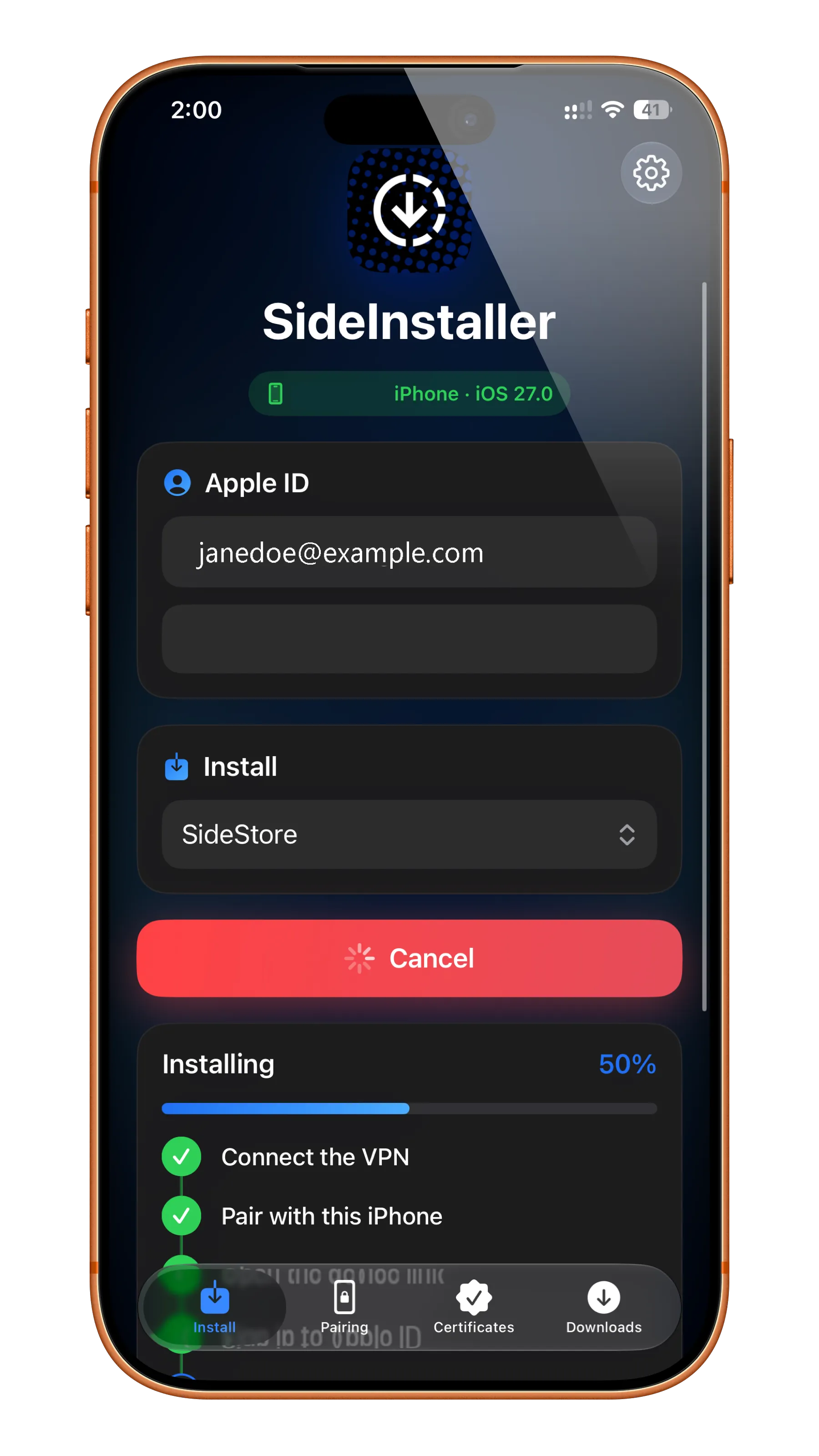
SideInstaller brings SideStore and LiveContainer installation tools directly to your iPhone or iPad, making sideloading easier without extra hardware or complicated configuration.
Install SideStore and LiveContainer with just a few taps while the app handles core setup tasks for you.
View and revoke development certificates, manage App IDs, and handle pairing files directly on-device.
Install the SideInstaller IPA on your iPhone or iPad and move into sideloading with a straightforward flow.
Save and manage multiple Apple ID accounts for different devices and signing needs.
Review the code, contribute improvements, and validate behavior under the MIT license.
Pairing, signing, and installation happen directly on your iPhone or iPad with no PC or Mac required.
Looking for an easy way to install SideInstaller without a PC or Mac? SideInstaller Online allows you to install SideInstaller directly on your iPhone or iPad using a simple browser-based installation process. No computer connection or manual IPA sideloading is required, making it a convenient option for users who want to set up SideInstaller directly on their iOS device.
The SideInstaller Online method provides an alternative way to install SideInstaller without manually downloading and signing the IPA file with a computer.
Depending on your device, iOS version, and certificate availability, the online installation method may allow you to begin the installation directly from Safari.
Open Safari on your iPhone or iPad and tap the Install SideInstaller button.
If an installation or configuration profile message appears on your screen, tap Allow to continue.
Go to:
Settings → Profile Downloaded
If you do not see this option, check the VPN & Device Management section under Settings.
Open the downloaded profile and follow the on-screen instructions. Enter your device passcode if requested.
Complete the installation process and wait for SideInstaller to appear on your Home Screen.
Once installed, open SideInstaller and follow the instructions to continue setting up supported sideloading tools and applications.
The latest v0.7.0 SideInstaller update makes installing SideStore and LiveContainer easier, faster, and more secure.
SideStore.ipa file in Files → On My iPhone → SideInstaller for offline installation, perfect if GitHub is unavailable.Download the latest SideInstaller IPA and enjoy a simple way to install SideStore and LiveContainer directly on your iOS device.
Setting up SideInstaller is simple and does not require a PC or Mac. Follow the steps below to install SideStore and LiveContainer directly on your iPhone or iPad.
Download and install LocalDevVPN, then connect to the VPN on your iPhone or iPad.
Open this page on your iOS device and install the SideInstaller IPA using an available certificate or a compatible IPA installer such as iLoader or Sideloadly.
Download IPALaunch SideInstaller from your Home Screen and start the setup process.
Enter your Apple ID credentials when prompted. Your account is used locally for signing and installation.
Choose your preferred installation option:
SideInstaller will automatically handle the required pairing, signing, and installation steps.
After installation:
Done! SideStore is now installed and ready for IPA sideloading.